Every public function, grouped by header. Coordinates are in pixels with the origin at the top-left corner; every drawing call is clipped to the 240 x 240 screen.
Conventions
Colours are gfx_color_t, an RGB565 uint16_t. Build them with GFX_RGB(r, g, b) (components 0 to 255) or GFX_HEX(0xRRGGBB).
x, y is the top-left corner of rectangles, images and text. Circles and arcs take their centre cx, cy.
Angles are in degrees: 0 points up and positive angles run clockwise.
Strings are UTF-8 and limited to code points up to U+00FF.
Port: gfx_port.h
Function
Description
void gfx_port_cmd(uint8_t command)
Write one command byte (A0 or D/C low). You implement it.
void gfx_port_data(uint16_t data)
Write one data word (A0 or D/C high): an 8-bit parameter after CASET or RASET, a 16-bit pixel after RAMWR. You implement it.
Core: gfx_core.h
Function or macro
Description
GFX_WIDTH, GFX_HEIGHT
Screen size, 240 and 240.
GFX_VERSION
Library version string.
GFX_RGB(r, g, b), GFX_HEX(rgb)
Build an RGB565 colour.
GFX_BLACK, GFX_WHITE
Colour constants.
void gfx_set_window(x0, y0, x1, y1)
Send CASET, RASET and RAMWR. Does not clip.
void gfx_push(color)
Send one pixel inside the current window.
void gfx_push_repeat(color, count)
Send count copies of a colour.
int gfx_clip_rect(int *x, int *y, int *w, int *h)
Clip a rectangle to the screen. Returns 0 if nothing is left.
void gfx_pixel(x, y, color)
Draw one pixel (costs 12 bus writes).
void gfx_fill_rect(x, y, w, h, color)
Filled rectangle, one window and one burst.
void gfx_fill_screen(color)
Fill the whole screen.
void gfx_hline(x, y, w, color), void gfx_vline(x, y, h, color)
void gfx_polygon(const gfx_point_t *points, int count, color)
Polygon outline.
void gfx_fill_polygon(const gfx_point_t *points, int count, color)
Filled polygon, even-odd rule, up to 16 vertices.
uint32_t gfx_isqrt(uint32_t value)
Integer square root (floor).
int gfx_sin_q14(int degrees), int gfx_cos_q14(int degrees)
Sine and cosine scaled by 16384.
Text: gfx_text.h
Function
Description
int gfx_text_width(const char *text, const gfx_font_t *font)
Width of a string in pixels.
int gfx_text(x, y, text, font, fg, bg)
Draw smooth text over a known background. Returns the x coordinate after the last glyph.
int gfx_text_t(x, y, text, font, fg)
Transparent background, no smoothing. Returns the x coordinate after the last glyph.
void gfx_text_box(x, y, w, text, font, fg, bg, align)
Align text in a box of width w and paint the leftover background. align is GFX_ALIGN_LEFT, GFX_ALIGN_CENTER or GFX_ALIGN_RIGHT.
char *gfx_int_to_str(int32_t value, char *buf)
Integer to text without printf. The buffer needs at least 12 bytes.
Images and icons: gfx_image.h
Function
Description
void gfx_draw_image(x, y, w, h, const uint16_t *pixels)
Draw a full RGB565 image stored in flash.
void gfx_draw_icon(x, y, const gfx_image_a4_t *icon, fg, bg)
4-bit opacity icon, smooth over a known background.
void gfx_draw_icon_t(x, y, icon, fg)
Icon without a background, no smoothing.
void gfx_draw_bitmap1(x, y, w, h, const uint8_t *bits, fg, bg)
1-bit bitmap, most significant bit on the left.
void gfx_draw_bitmap1_t(x, y, w, h, bits, fg)
1-bit bitmap, only the set bits are painted.
Convert your own pictures with tools/img2c.py: python3 tools/img2c.py photo.png my_photo --size 120x80 writes my_photo.c and my_photo.h, and --mono produces a 1-bit bitmap.
Fonts: gfx_fonts.h
Object
Line height
Characters
gfx_font_sans_12
15 px
U+0020 to U+007E, U+00A0 to U+00FF
gfx_font_sans_16
19 px
U+0020 to U+007E, U+00A0 to U+00FF
gfx_font_sans_24
29 px
U+0020 to U+007E, U+00A0 to U+00FF
gfx_font_sans_bold_16
19 px
U+0020 to U+007E, U+00A0 to U+00FF
gfx_font_sans_bold_24
29 px
U+0020 to U+007E, U+00A0 to U+00FF
gfx_font_sans_bold_48
57 px
space to colon (digits) and the degree sign
Icons: gfx_icons.h
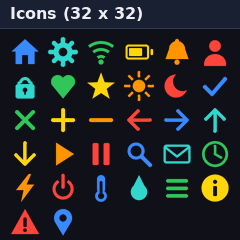
32 icons of 32 x 32 pixels, 4 bits of opacity each. Pass them to gfx_draw_icon(), gfx_widget_button(), gfx_widget_list_item() and gfx_widget_tabbar().
Widgets draw with the colours of the active theme. Choose it with gfx_set_theme(&gfx_theme_dark) or gfx_set_theme(&gfx_theme_light), or define your own gfx_theme_t.
 stm32-st7789-gfx